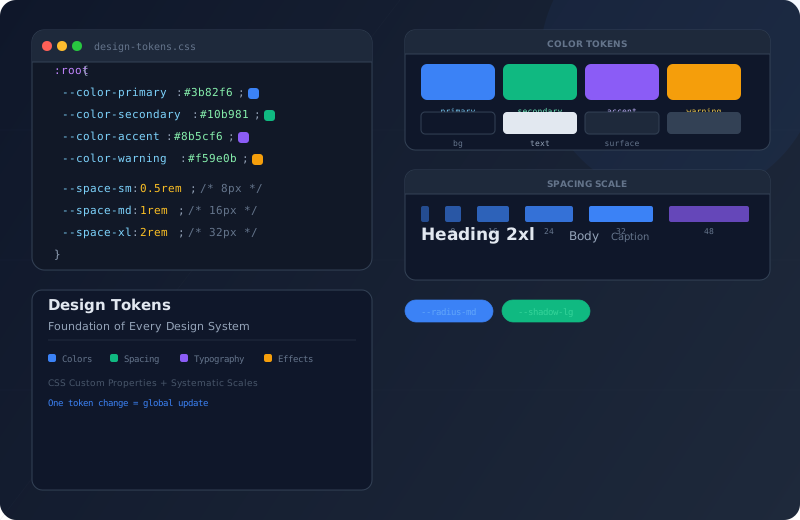
Design Tokens: The Foundation of Every Design System

You would never hardcode a database connection string in 47 different files. So why do frontend teams still hardcode #3b82f6 in 200 places across their stylesheets? Design tokens solve this problem the same way configuration solves it in backend development: one source of truth, referenced everywhere, changed in one place.
Design tokens are the visual atoms of a design system. They store decisions — not just values — about color, typography, spacing, shadows, borders, and motion in a format that every component can consume. If you are new to the concept of design systems, my guide on getting started with Atomic Design explains the component hierarchy that tokens power.
Design tokens are the visual design atoms of the design system — specifically, they are named entities that store visual design attributes.
Why Design Tokens Matter
Without tokens, design decisions are scattered across CSS files, component styles, and inline styles. A “brand blue” might be #2563eb in the header, #3b82f6 in buttons, and #1d4ed8 in links — three different blues that were meant to be the same. Tokens eliminate this drift by establishing a single canonical value.
When you update a token, every component that references it updates automatically. Change --color-primary once, and your buttons, links, headings, focus rings, and active states all follow. This is the foundational promise of a design system. To see how tokens integrate with a real component library of 45+ components, read about Atomic Design in practice.
The Evolution of Design Systems
Every developer chose colors and spacing by feel. No central source, no consistency. Redesigns meant weeks of search-and-replace work.
Preprocessor variables brought some centralization. But build-time only: no theming without recompiling. No dark mode without duplication.
styled-components and Emotion brought theme objects. Runtime costs and framework dependency were the price for dynamic theming.
Native browser support, zero runtime cost, cascading and context-overridable. Design tokens as CSS custom properties are the current best practice.
Token Categories
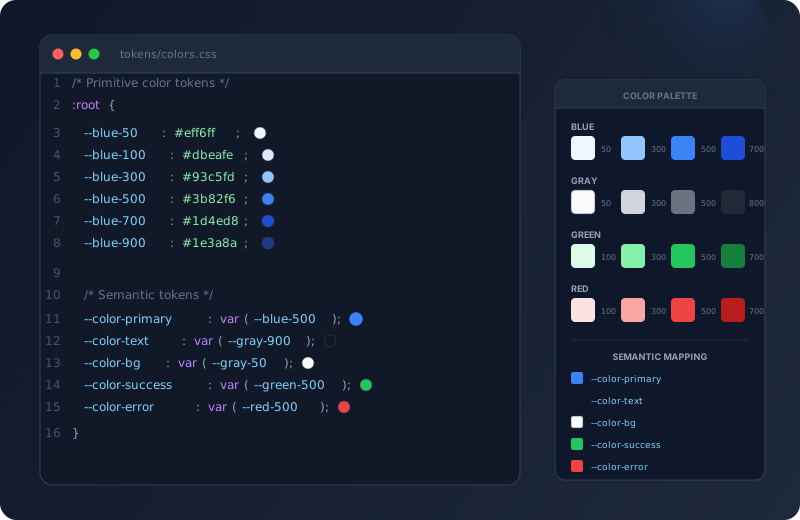
Your entire color palette — from brand primaries and neutrals to semantic colors for success, warning, error, and info states. Semantic tokens like --color-text and --color-bg adapt between light and dark modes without changing component code. Define primitive tokens (the raw palette) and semantic tokens (the meaning) separately.
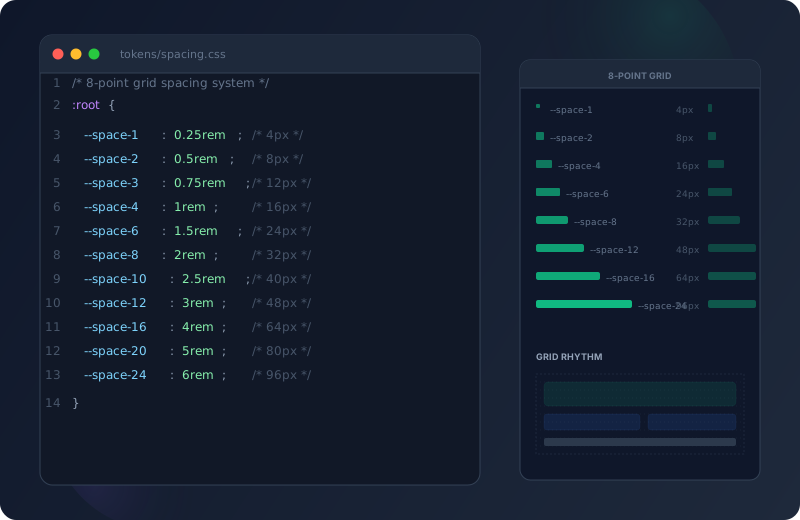
An 8-point grid system ensures consistent spatial rhythm. Values like --space-1 (4px) through --space-12 (96px) create harmonious layouts. Components never use arbitrary pixel values — every margin, padding, and gap references a spacing token. This eliminates the "should this be 14px or 16px?" debate forever.
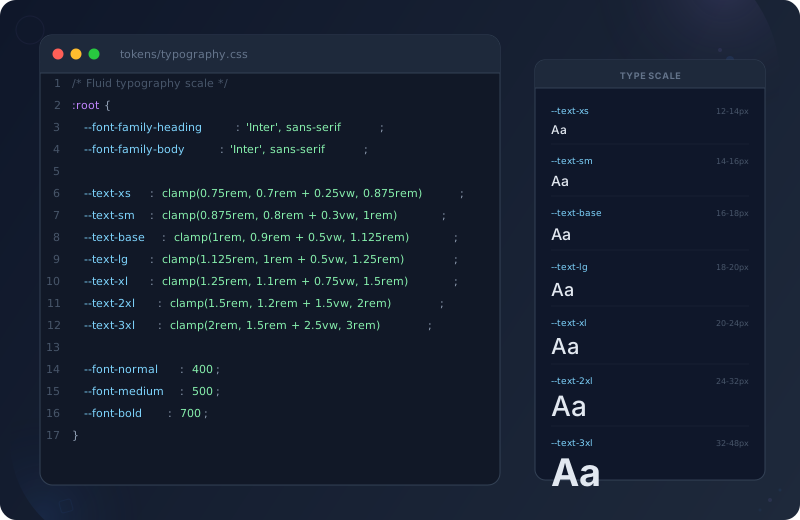
Font families, sizes, weights, line heights, and letter spacing — all tokenized. Fluid typography scales use clamp() to ensure readable text from mobile to ultrawide. A heading that is 2rem on mobile smoothly grows to 3rem on desktop without media queries.
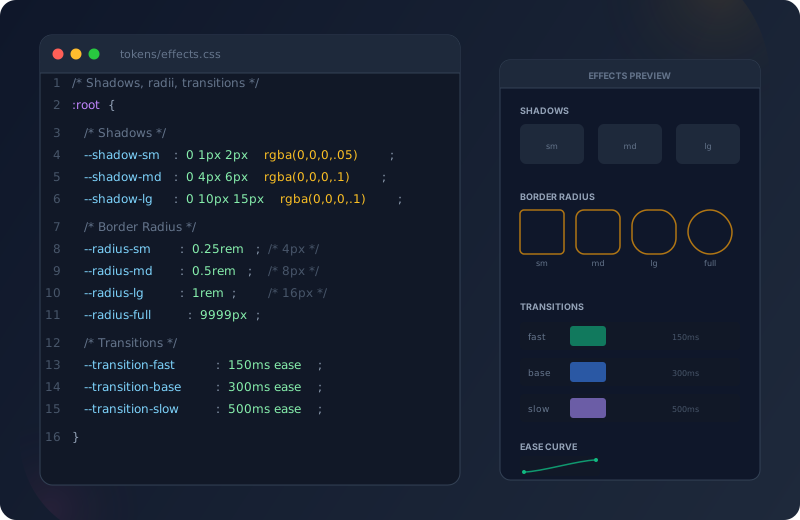
Shadows, border radii, transitions, and animations. Consistent shadows (--shadow-sm, --shadow-md, --shadow-lg) create depth hierarchy. Transition tokens (--transition-fast: 150ms, --transition-base: 300ms) ensure uniform animation feel. Border radius tokens prevent the "some buttons are 4px, some are 8px" problem.
Token Architecture: Three Layers
Design tokens work best when organized in three layers: primitive, semantic, and component. Each layer adds meaning.
Primitive tokens are the raw values — your palette. They have no meaning attached, just names and values. --blue-500: #3b82f6, --gray-100: #f3f4f6, --space-4: 1rem. You never use these directly in components. They are the building blocks for semantic tokens.
Semantic tokens assign meaning to primitives. --color-primary: var(--blue-500), --color-bg: var(--gray-100), --color-text: var(--gray-900). Components use semantic tokens exclusively. This is how dark mode works: you swap the primitive values behind semantic tokens, and every component adapts.
Component tokens (optional) are aliases for specific components. --btn-bg: var(--color-primary), --btn-text: var(--color-on-primary), --card-radius: var(--radius-md). They add an extra layer of flexibility: you can change all button backgrounds without affecting other components that use --color-primary.
Implementation in CSS
/* tokens/primitives.css — raw palette, never used directly in components */
:root {
  --blue-50: #eff6ff;
  --blue-500: #3b82f6;
  --blue-600: #2563eb;
  --blue-700: #1d4ed8;
  --gray-50: #f9fafb;
  --gray-100: #f3f4f6;
  --gray-700: #374151;
  --gray-900: #111827;
  --space-1: 0.25rem;   /* 4px */
  --space-2: 0.5rem;    /* 8px */
  --space-4: 1rem;      /* 16px */
  --space-6: 1.5rem;    /* 24px */
  --space-8: 2rem;      /* 32px */
}
/* tokens/semantic.css — meaningful names, used in all components */
:root {
--color-primary: var(--blue-600);
--color-primary-hover: var(--blue-700);
--color-bg: var(--gray-50);
--color-bg-alt: var(--gray-100);
--color-text: var(--gray-900);
--color-text-light: var(--gray-700);
--font-size-base: 1rem;
--font-size-lg: 1.25rem;
--font-size-xl: 1.5rem;
--radius-sm: 0.25rem;
--radius-md: 0.5rem;
--shadow-sm: 0 1px 2px rgba(0,0,0,0.05);
--shadow-md: 0 4px 6px rgba(0,0,0,0.1);
--transition-fast: 150ms ease;
--transition-base: 300ms ease;
}/* Dark mode — swap primitives behind semantic tokens */
[data-theme="dark"] {
--color-primary: var(--blue-500);
--color-primary-hover: var(--blue-600);
--color-bg: var(--gray-900);
--color-bg-alt: var(--gray-700);
--color-text: var(--gray-50);
--color-text-light: var(--gray-100);
--shadow-sm: 0 1px 2px rgba(0,0,0,0.3);
--shadow-md: 0 4px 6px rgba(0,0,0,0.4);
}
/* Components use the same tokens — zero code changes */Tokens vs. Alternatives
| Approach | Maintainability Recommended | Dark Mode | Performance |
|---|---|---|---|
| CSS Custom Properties | Excellent | Native swap | Zero runtime |
| Tailwind Utility Classes | Good | Config-based | Purge required |
| CSS-in-JS (styled-components) | Moderate | Theme provider | Runtime cost |
| SCSS Variables | Moderate | Manual duplication | Build-time only |
| Hardcoded Values | Terrible | Impossible | N/A |
Setting Up Your Token System
Token Implementation Guide
- Audit Existing Styles
Search your codebase for hardcoded color values, pixel spacings, and font declarations. List every unique value — you will likely find duplicates and near-duplicates that should be consolidated.
- Define Primitive Tokens
Create your raw palette in tokens/primitives.css. Colors (full scales like blue-50 through blue-900), spacing (4px increments), font sizes, font families, and font weights.
- Create Semantic Tokens
Map primitives to meaningful names in tokens/semantic.css. --color-primary, --color-text, --color-bg, --color-error, --color-success. These are what your components will actually use.
- Replace Hardcoded Values
Go through every component and replace raw values with token references. color: #3b82f6 becomes color: var(--color-primary). padding: 16px becomes padding: var(--space-4).
- Add Dark Mode
Create a [data-theme="dark"] block that reassigns semantic tokens to different primitives. Toggle the data-theme attribute on <html> with a small script. Every component adapts automatically.
Real-World Token File Structure
src/styles/
├── global.css              → Imports all token files, base resets
└── tokens/
    ├── primitives.css      → Raw palette (colors, scales)
    ├── semantic.css        → Meaningful names (light mode defaults)
    ├── dark.css            → Dark mode overrides
    ├── typography.css      → Font families, sizes, weights, line heights
    ├── spacing.css         → 8-point grid values
    └── effects.css         → Shadows, radii, transitions
The Power of Cascading Tokens
One of the most powerful patterns is contextual token overrides. Since CSS custom properties cascade, you can override tokens in specific contexts:
/* A dark card overrides tokens for its children */
.card--dark {
  --color-bg: var(--gray-900);
  --color-text: var(--gray-50);
  --color-primary: var(--blue-400);
}
/* All children (headings, text, links) automatically adapt */
/* Adjust spacing tokens for mobile */
@media (max-width: 768px) {
:root {
--space-section: var(--space-6); /* 24px instead of 48px */
--font-size-hero: var(--font-size-xl); /* smaller hero text */
}
}/* A hero section with different visual treatment */
.hero {
--color-bg: var(--color-primary);
--color-text: white;
}
/* All organisms inside the hero inherit these overrides */Benefits at Scale
Every component draws from the same palette. No more "which blue was that again?" conversations.
Swap token values in one file. Every component adapts without any modifications.
Enforce contrast ratios at the token level. --color-text on --color-bg always meets WCAG 4.5:1.
The 8-point grid eliminates arbitrary spacing. Every layout has consistent rhythm and breathing room.
Changing the entire visual identity means updating one token file. No component changes needed.
Token names in code match token names in Figma. Designers and developers speak the same language.
Common Mistakes
Frequently Asked Questions
No. Tokens represent design decisions, not every CSS value. A one-off 3px adjustment for optical alignment does not need a token. Focus on values that are reused across multiple components — colors, spacing scale, font sizes, shadows, radii, and transitions.
Yes. Configure your tailwind.config.js to reference CSS custom properties: colors: { primary: "var(--color-primary)" }. This way Tailwind utilities use your token values. You get utility-class convenience with token-based consistency.
Use fluid typography with clamp(). Define tokens like --font-size-hero: clamp(2rem, 5vw, 3.5rem). The font smoothly scales between the minimum and maximum without media queries. Every component that uses the token benefits automatically.
Apply token values as overrides in the third-party component scope. Most component libraries expose CSS custom properties or class-based theming. Map your tokens to their theming API. This keeps your visual system consistent even with external components.
Two layers are mandatory: Primitive and Semantic tokens. Component tokens are optional and only pay off with 30+ components. For smaller projects, Primitive and Semantic tokens are perfectly sufficient — the overhead of a third layer outweighs its benefit there.
Incrementally, not all at once. Start with colors — they have the biggest visual impact. Create the token file, replace the most common color values. Then spacing, then typography. Each round is its own commit. This lets you roll back precisely if issues arise.