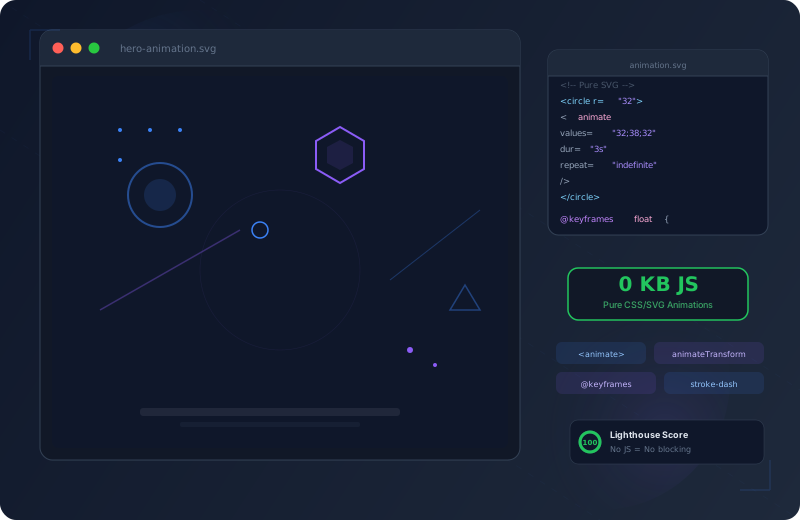
SVG Hero Animations Without JavaScript

Most hero sections on the web follow a predictable pattern: a static background image, maybe layered with a CSS gradient, or — if the budget allows — a JavaScript animation library like GSAP, Lottie, or Three.js. Both approaches come with trade-offs. Static images are boring and interchangeable. JavaScript libraries inflate the bundle, block the main thread, and often introduce accessibility problems.
There is a third way: pure SVG + CSS @keyframes. This portfolio uses exactly this approach to create six unique, page-specific hero backgrounds — each with its own visual character, zero JavaScript overhead, and full prefers-reduced-motion support.
What makes this approach special: each page does not just have a different color scheme or layout, but a fundamentally different visual metaphor. The homepage shows a code editor. The about page displays a constellation network. The contact page pulses with signal waves. The visual identity of each page is defined by its animation — not by interchangeable stock photos.
SVG animations with CSS are the most underrated technique in modern web design. They combine near-zero file size with unlimited creative flexibility.
Why SVG + CSS Over JavaScript Libraries?
Choosing SVG + CSS is not a stylistic preference — it is a technical decision with measurable advantages. Animation libraries like GSAP (43 KB minified), Lottie (250 KB+ with the player), or Anime.js (17 KB) add runtime overhead that blocks the main thread. SVG animations with CSS, in contrast, run on the browser compositor on the GPU — they never even touch the main thread.
There is an often-overlooked aspect as well: dependency management. A JavaScript library needs to be updated, checked for breaking changes, and patched against security vulnerabilities. CSS @keyframes have no versions, no dependencies, and no CVEs. They are a native part of the web platform and work in every browser — today and in ten years.
| Criterion | SVG + CSS Recommended | Lottie | GSAP | Canvas/WebGL |
|---|---|---|---|---|
| Bundle Size | 0 KB JS | ~250 KB | ~43 KB | ~50-200 KB |
| Rendering | GPU Compositing | Canvas/SVG | DOM/WAAPI | GPU (WebGL) |
| Accessibility | Native (aria-hidden) | Limited | Manual | None |
| prefers-reduced-motion | CSS Media Query | JS Check Required | JS Check Required | JS Check Required |
| Interactivity | Hover/Focus CSS | Full Control | Full Control | Full Control |
| Browser Support | 98%+ (all modern) | 95%+ | 97%+ | 93%+ |
| SEO Impact | None (no JS) | Minimal | Minimal | None |
| Learning Curve | CSS Knowledge | After Effects + JSON | JS API | WebGL/Shaders |
| Dependencies | None | 1+ npm packages | 1+ npm packages | 1-3 npm packages |
| Maintenance | Zero | Updates needed | Updates needed | Updates needed |
The key takeaway: for decorative hero backgrounds that do not require complex interactivity, SVG + CSS is the superior solution. You get smooth 60fps animations, zero JavaScript payload, and native accessibility features — for free. For a comprehensive look at how these animations fit into the broader performance picture, see my Core Web Vitals guide.
The 6 Hero Visuals at a Glance
Every page in this portfolio has its own thematically fitting hero background. The visuals use SVG elements, CSS animations, and absolute positioning to create a subtle, living backdrop that supports the content without distracting from it. None of the visuals is purely decorative in the sense of “pretty” — each conveys a content-level message about the respective page.
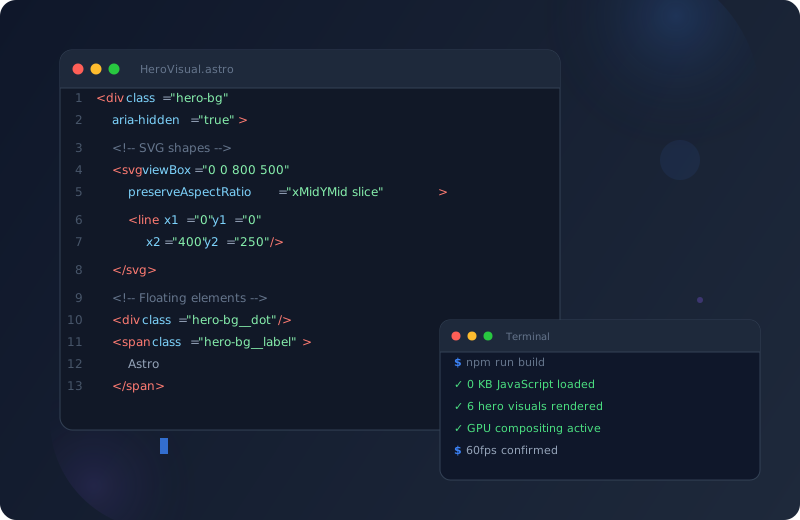
An animated code editor with syntax highlighting, a blinking cursor, and an overlapping terminal window. The red, yellow, and green dots in the title bar imitate a macOS window. Below, Astro code lines are displayed with color-highlighted tags, attributes, and strings. Floating geometric shapes — a glowing circle, a ring, and pulsing dots — surround the editor and create spatial depth. The terminal shows a successful build output with checkmark symbols.
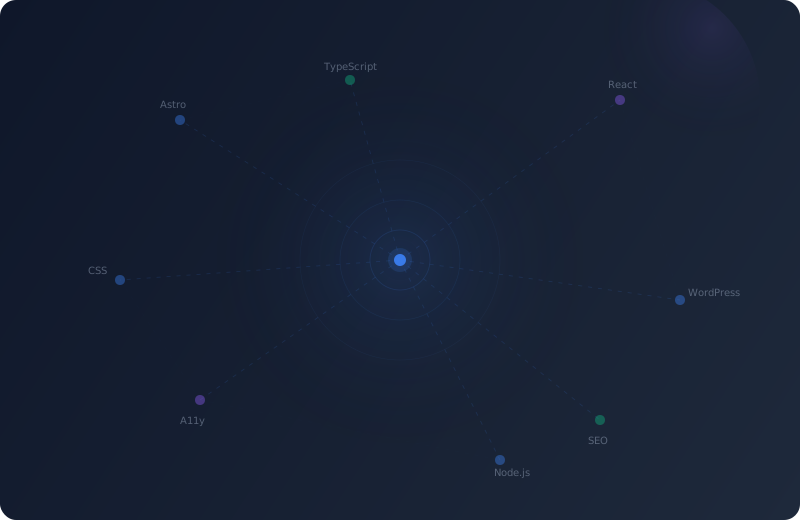
A constellation network with a central glowing core, three concentric rings that pulse and expand, and eight nodes connected via dashed SVG lines. Floating tech labels like Astro, React, WordPress, SEO, A11y, and TypeScript hover across the scene. Two ambient gradient blobs create colored nebula effects. The core position is randomized on every page load via a JavaScript snippet that selects from six predefined zones.
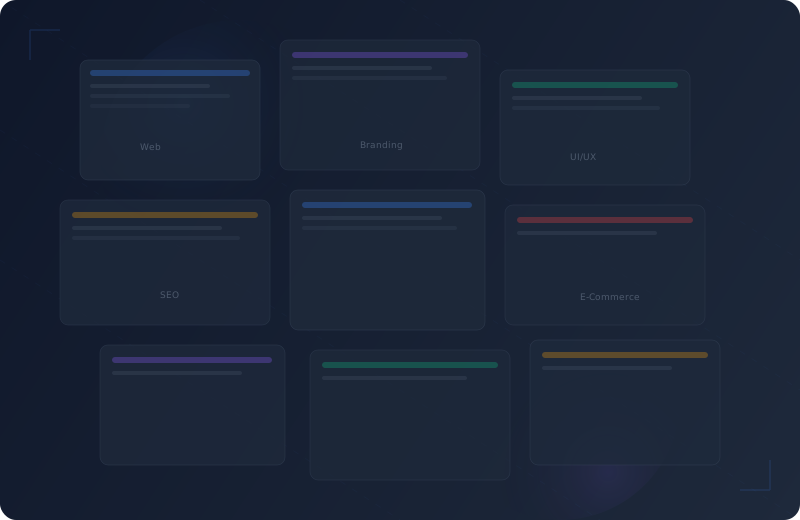
A staggered grid of nine rectangular tiles that act as abstract project thumbnails. Each tile pulses with a subtle fade-in/out effect and grows slightly to 103% of its original size. Five diagonal SVG grid lines cross the scene with dashed strokes. Floating category labels — Web, Branding, UI/UX, SEO, E-Commerce — and decorative corner brackets at top-left and bottom-right frame the composition.
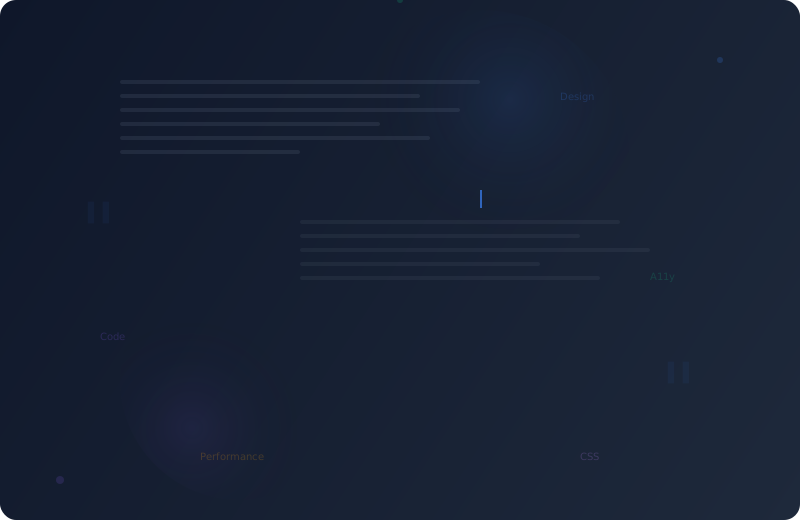
Abstract horizontal text lines at varying widths (45-90%) imitate written paragraphs. Two groups of these text lines float at different positions. A blinking cursor bar (2x18px) suggests active writing. Large floating quotation marks in 80px Georgia serif and topic labels like Design, Code, A11y, Performance, and CSS complete the writing atmosphere.
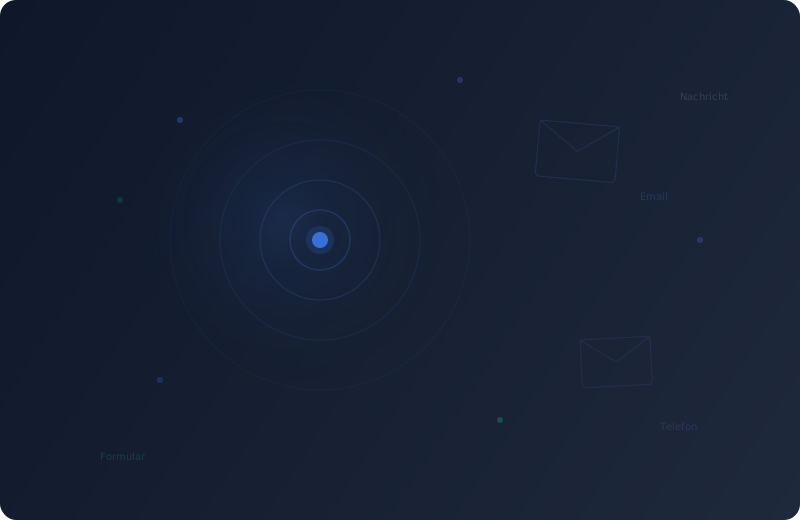
Radiating signal arcs expand concentrically from a glowing focal point — like an expanding WiFi signal. Four circular rings (60px, 120px, 200px, 300px diameter) with staggered ripple animations (0s, 0.6s, 1.2s, 1.8s delay) create a continuous wave of visual energy. Two SVG envelope outlines float at slight angles across the surface. Six scattered connection dots and four floating labels reinforce the communication theme.
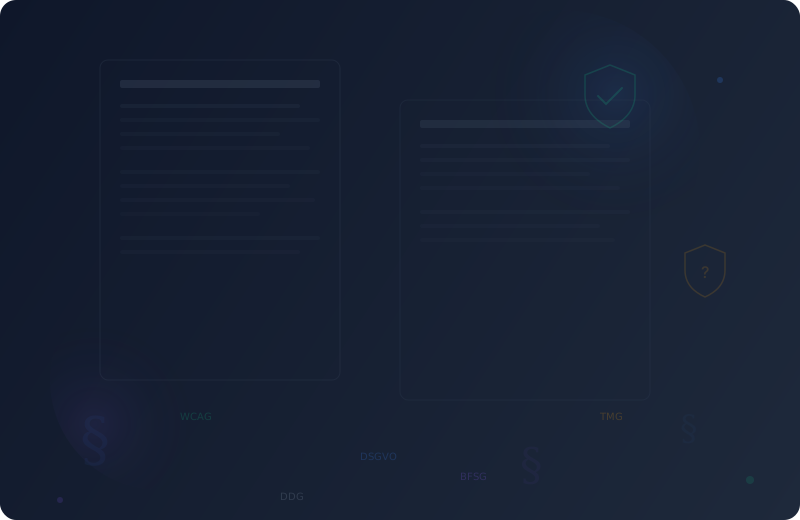
Two abstract document outlines with a thicker header bar and four to five thinner text lines each imitate legal documents. Two SVG shield symbols — one with a checkmark for compliance, one without for open requirements — float across the scene. Three large paragraph signs (section symbols) in 35-60px sizes and five floating labels like DSGVO, WCAG, TMG, BFSG, and DDG anchor the visual thematically in the legal domain.
Anatomy of an SVG Hero Background
The structure of each hero visual follows a consistent pattern. The individual steps repeat across every variant — only the specific SVG elements and animations change. This consistency is not accidental — it enables creating new visuals in under an hour, because the architecture is already established.
5 Steps to an Animated Hero Background
- Container with Absolute Positioning
The outer container uses position: absolute and inset: 0 to span the entire hero area. pointer-events: none ensures the background does not capture clicks. aria-hidden="true" marks it as purely decorative — screen readers ignore it completely. overflow: hidden prevents elements from extending beyond the hero area.
- SVG viewBox and preserveAspectRatio
SVG elements like connection lines or grids use viewBox="0 0 800 500" with preserveAspectRatio="xMidYMid slice". The viewBox defines a virtual coordinate system that works independently of the actual container size. slice fills the container completely and clips any overflow — similar to object-fit: cover for images.
- CSS @keyframes for Animations
Each visual defines its own @keyframes — float, pulse, orbit, blink, shimmer, ripple. The animations exclusively use transform and opacity, since only these two properties produce GPU-accelerated compositing animations. No width, height, top, or left in keyframes — that would trigger layout recalculations and destroy performance.
- animation-delay for Organic Feel
Elements pulsing simultaneously look mechanical and artificial. Staggered animation-delay values (0s, 0.3s, 0.6s, 0.9s...) make animations start at offset times. This creates an organic, lively rhythm, as if the elements were independent of each other. The delay values are deliberately irregular to avoid patterns.
- prefers-reduced-motion Media Query
At the end of each style block sits a @media (prefers-reduced-motion: reduce) block that disables all animations with animation: none. Users who have enabled reduced motion in their OS settings see a static background — the visual elements remain visible but do not move.
The Fundamental Container Pattern
Every hero visual follows the same HTML scaffolding. Here is an example using the simplest visual — a simplified representation of the blog hero background:
<!-- Outer container: covers the entire hero area -->
<div class="blog-bg" aria-hidden="true">
  <!-- Layer 1: Ambient background (blobs, gradients) -->
  <div class="blog-bg__blob blog-bg__blob--1"></div>
  <div class="blog-bg__blob blog-bg__blob--2"></div>

  <!-- Layer 2: SVG elements (lines, shapes, paths) -->
  <svg class="blog-bg__lines" viewBox="0 0 800 500"
       preserveAspectRatio="xMidYMid slice">
    <!-- SVG contents here -->
  </svg>

  <!-- Layer 3: HTML elements (dots, labels, cursor) -->
  <div class="blog-bg__cursor"></div>
  <span class="blog-bg__label blog-bg__label--1">Design</span>
</div>
/* Container spans the entire hero */
.blog-bg {
position: absolute;
inset: 0;
overflow: hidden;
pointer-events: none;
z-index: 0;
}The z-index: 0 ensures the hero content (heading, buttons) with a higher z-index sits above. pointer-events: none prevents the decorative background from intercepting mouse or touch events intended for the interactive elements above.
CSS Animation Techniques
The six hero visuals use four fundamental animation types that can be combined in various ways. All of them exclusively use transform and opacity — the only properties the browser can animate on the GPU without layout recalculation.
/* Float — gentle up and down hovering */
/* Creates the impression of weightlessness */
@keyframes hero-float {
  0%, 100% {
    transform: translateY(0);
  }
  50% {
    transform: translateY(-12px);
  }
}

/* Applied with varying durations and directions */
.shape--circle {
  animation: hero-float 6s ease-in-out infinite;
}

.shape--ring {
  /* reverse flips the direction — elements move
     in opposite directions for more visual tension */
  animation: hero-float 8s ease-in-out infinite reverse;
}

/* Tip: Different durations (6s, 7s, 8s, 9s)
   create a never-repeating pattern because
   the phases never sync exactly */
/* Pulse — breathing scale with opacity */
/* Simulates a gentle glow/pulsation */
@keyframes hero-pulse {
0%, 100% {
opacity: 0.3;
transform: scale(1);
}
50% {
opacity: 0.6;
transform: scale(1.5);
}
}
/* Applied with staggered delays */
.dot--1 {
animation: hero-pulse 3s ease-in-out infinite;
animation-delay: 0s;
}
.dot--2 {
animation: hero-pulse 3s ease-in-out infinite;
animation-delay: 1s;
}
.dot--3 {
animation: hero-pulse 3s ease-in-out infinite;
animation-delay: 2s;
}
/* The staggered delays (0s, 1s, 2s) create
a wave motion through the dots *//* Ripple — expanding circular rings (Contact page) */
/* Simulates waves spreading from a single point */
@keyframes contact-ripple {
0% {
transform: translate(-50%, -50%) scale(0.8);
opacity: 0.2;
}
100% {
transform: translate(-50%, -50%) scale(1.15);
opacity: 0;
}
}
/* Four rings with staggered delay = continuous wave */
.arc--1 {
width: 60px; height: 60px;
animation: contact-ripple 3s ease-out infinite;
}
.arc--2 {
width: 120px; height: 120px;
animation: contact-ripple 3s ease-out infinite 0.6s;
}
.arc--3 {
width: 200px; height: 200px;
animation: contact-ripple 3s ease-out infinite 1.2s;
}
.arc--4 {
width: 300px; height: 300px;
animation: contact-ripple 3s ease-out infinite 1.8s;
}/* Cursor Blink — steps() for discrete blinking */
/* step-end creates abrupt transitions instead of smooth */
@keyframes hero-blink {
0%, 100% {
opacity: 1;
}
50% {
opacity: 0;
}
}
.cursor {
display: inline-block;
width: 7px;
height: 14px;
background: var(--color-primary-500);
/* step-end = instant switch, no fading.
This is more realistic than smooth fading
because real cursors blink abruptly too */
animation: hero-blink 1.2s step-end infinite;
vertical-align: text-bottom;
}
/* Terminal variant: slightly smaller */
.cursor--term {
width: 6px;
height: 12px;
margin-left: 4px;
}Why Only transform and opacity?
Browsers render animations through a pipeline: Style > Layout > Paint > Composite. Most CSS properties (width, height, top, left, margin, padding, border) trigger the full pipeline starting from the Layout step. Every frame needs to be recalculated, which happens on the main thread and blocks JavaScript.
transform and opacity are special: they only trigger the Composite step. The browser creates a separate GPU layer for the element and moves, scales, or fades it there — without touching the main thread. This is why CSS animations using these properties achieve smooth 60fps even when the main thread is busy with JavaScript.
Deep Dive: The Constellation Visual
The AboutHeroVisual is the most complex of the six visuals. It combines multiple techniques into a cohesive network effect that visually represents Arnold’s interconnected skills. Let us examine the individual layers in detail.
Structure of the Five Layers
The visual consists of five layers stacked on top of each other. The order in the DOM determines the visual depth:
- Ambient Blobs (z-index: auto) — Large, blurred color areas (
filter: blur(80px)) create a subtle nebula effect in the background. Two blobs using--color-primary-600and--color-secondary-600at 5-6% opacity. - SVG Connection Lines (z-index: auto) — Dashed lines (
stroke-dasharray: 4 6) connect the nodes to the center. Eight lines to the core, plus four cross-connections between outer nodes. - Nodes (z-index: auto) — Eight 6x6px circles at fixed positions, pulsing between 25% and 50% opacity with the
about-node-glowanimation. Each node has an individualanimation-delay. - Central Core (z-index: 2) — A 12px dot with a
box-shadowglow and three concentric rings (80px, 160px, 280px diameter) pulsing withabout-ring-pulse. - Tech Labels (z-index: auto) — Six floating text labels (Astro, React, WordPress, SEO, A11y, TypeScript) in monospace font at 18% opacity.
The Pulsing Rings in Detail
/* Three concentric rings around the core */
.core-ring--1 {
  width: 80px;
  height: 80px;
  opacity: 0.2;
  animation: about-ring-pulse 4s ease-in-out infinite;
}

.core-ring--2 {
  width: 160px;
  height: 160px;
  opacity: 0.1;
  animation: about-ring-pulse 4s ease-in-out infinite 1s;
}

.core-ring--3 {
  width: 280px;
  height: 280px;
  opacity: 0.06;
  animation: about-ring-pulse 4s ease-in-out infinite 2s;
}

/* Private custom property controls the base opacity of each ring */
.core-ring--1 { --_ring-opacity: 0.2; }
.core-ring--2 { --_ring-opacity: 0.1; }
.core-ring--3 { --_ring-opacity: 0.06; }

@keyframes about-ring-pulse {
  0%, 100% {
    transform: translate(-50%, -50%) scale(1);
    opacity: var(--_ring-opacity, 0.15);
  }
  50% {
    transform: translate(-50%, -50%) scale(1.08);
    opacity: calc(var(--_ring-opacity, 0.15) * 0.6);
  }
}
Notice the trick with --_ring-opacity: each ring defines its own opacity value as a private custom property (--_ring-opacity), which the animation then reads via var() and calc(). This way, a single @keyframes definition can animate different base opacities — DRY applied to CSS animations. The 0.6 multiplication means: at the peak of the pulsation, the opacity drops to 60% of its base value, creating a subtle “breathing” effect.
The Traveling SVG Lines
.about-bg__line {
  stroke: var(--color-primary-500);
  stroke-width: 0.5;
  opacity: 0.08;
  stroke-dasharray: 4 6;
  animation: about-line-dash 20s linear infinite;
}

/* Cross-connections are even more subtle */
.about-bg__line--faint {
  opacity: 0.04;
  stroke-dasharray: 2 8;
}

@keyframes about-line-dash {
  0% { stroke-dashoffset: 0; }
  100% { stroke-dashoffset: 100; }
}
stroke-dasharray: 4 6 creates a pattern of 4px dash and 6px gap. The animation then shifts the stroke-dashoffset linearly, which makes the dashes appear to travel along the line. At a 20-second duration, the movement is subtle enough to be felt rather than consciously noticed — exactly the right level for a decorative background.
The cross-connections (--faint) use stroke-dasharray: 2 8 — shorter dashes with larger gaps — and only 4% opacity. They are nearly invisible but subconsciously create the impression of a denser network.
Core Position Randomization
A subtle detail: the position of the central core is randomized on every page load. This happens through a small JavaScript snippet that sets CSS custom properties:
/* Six predefined zones — no position in the text area */
const zones = [
  { top: [15, 35], left: [5, 25] },    /* top left */
  { top: [15, 35], left: [75, 92] },   /* top right */
  { top: [60, 85], left: [5, 25] },    /* bottom left */
  { top: [60, 85], left: [75, 92] },   /* bottom right */
  { top: [15, 35], left: [40, 60] },   /* top center */
  { top: [70, 85], left: [40, 60] },   /* bottom center */
];

/* Pick a random zone, calculate position within it */
const zone = zones[Math.floor(Math.random() * zones.length)];
bg.style.setProperty('--core-top', `${coreTop}%`);
bg.style.setProperty('--core-left', `${coreLeft}%`);
The zones are chosen so the core never lands over the main text of the hero area (30-70% on both axes). This keeps text always readable while making the visual look different on every visit. The SVG connection lines are subsequently updated to point toward the new center.
Performance Considerations
Animation performance is not accidental — it is the result of deliberate technical decisions applied consistently across every visual.
All animations exclusively use transform and opacity — the only properties the browser can animate on the GPU without recalculating layout.
No width, height, top, left, or margin in @keyframes. These properties trigger layout recalculations that block the main thread and cause jank.
transform and opacity are rendered on a separate compositing layer. The main thread stays free for JavaScript, event handling, and other tasks.
Hero visuals are only active in the visible viewport. No hidden animations below the fold wasting battery and CPU cycles.
Each visual is under 5 KB of compressed HTML+CSS. For comparison: a JPEG background image at 1920px width would be 50-200 KB. Lottie JSON typically 30-100 KB.
Zero JavaScript is needed for the animations. No requestAnimationFrame loop, no tween engine, no event listeners. The browser compositor handles everything natively.
will-change: Do You Need It?
A common question: should you set will-change: transform on animated elements? The answer is nuanced:
- Not needed if you already use
animationortransitionwithtransform— the browser automatically promotes the element to a GPU layer. - Potentially harmful if you set
will-changeon too many elements — each GPU layer consumes video memory. With 20+ animated elements, this can become a problem on mobile devices with limited VRAM. - Useful only for hover transitions that cause a frame drop on the first trigger because the layer needs to be created.
In this portfolio, will-change is not used — the animation property alone is enough to trigger layer promotion.
Accessibility
Decorative animations must never compromise accessibility. The hero visuals implement three layers of accessibility support.
1. aria-hidden=“true”
Every hero visual has aria-hidden="true" on its outermost container. This means: screen reader users are not exposed to any of these elements. Since the visuals are purely decorative and provide no content value, this is correct — a screen reader announcing “div, div, div, svg, line, line, span, Astro, span, React” helps nobody.
Importantly: aria-hidden="true" on the container automatically inherits to all children. You do not need to set it on every individual element. A single attribute on the wrapper is sufficient.
2. prefers-reduced-motion
@media (prefers-reduced-motion: reduce) {
  .about-bg__core-ring,
  .about-bg__node,
  .about-bg__line,
  .about-bg__label,
  .about-bg__blob {
    animation: none;
  }
}
This CSS media query responds to the user’s operating system setting. On macOS: System Settings > Accessibility > Display > “Reduce motion”. On Windows: Settings > Ease of Access > Display > “Show animations in Windows”. On iOS: Settings > Accessibility > Motion > “Reduce Motion”. The SVG elements remain visible but static.
3. Content Remains Accessible
All text content in the hero (heading, subtitle, CTA buttons) sits above the decorative background in the DOM. It is fully keyboard navigable, has correct heading hierarchy, and functions identically with and without the visuals. The pointer-events: none on the background container ensures that no decorative element accidentally receives focus or intercepts touch events.
Dark Mode Compatibility
The hero visuals use CSS custom properties — also known as design tokens — for all color values. This means: they adapt automatically to the active theme mode without any additional code.
/* Base styles use tokens — adapts automatically */
.about-bg__node {
  background: var(--color-primary-400);
}

.about-bg__line {
  stroke: var(--color-primary-500);
  opacity: 0.08;
}

/* Core glow in dark mode */
.about-bg__core-dot {
  box-shadow:
    0 0 20px var(--color-primary-500),
    0 0 60px rgba(1, 95, 252, 0.3);
}

/* Light mode overrides for finer control */
[data-theme="light"] .about-bg__node {
  background: var(--color-primary-500);
}

[data-theme="light"] .about-bg__line {
  stroke: var(--color-primary-600);
  opacity: 0.06;
}

/* Reduced glow in light mode */
[data-theme="light"] .about-bg__core-dot {
  box-shadow:
    0 0 20px var(--color-primary-500),
    0 0 40px rgba(1, 95, 252, 0.15);
}
The principle is straightforward: the base styles use token values already defined for dark mode (--color-primary-400, --color-primary-500). For light mode, [data-theme="light"] selectors apply slightly adjusted values — typically darker color shades and reduced opacity, since light backgrounds tolerate less contrast.
Responsive Adjustments
The hero visuals do not simply scale down — they are deliberately simplified on small screens to reduce visual noise and conserve performance on mobile devices.
Mobile Breakpoints
All visuals include a @media (max-width: 639px) block that shrinks or simplifies certain elements:
- Fonts are reduced from 10px to 8px (floating labels)
- Blobs are shrunk from 250-300px to 130-180px
- Concentric rings reduce their radius (e.g. 280px to 180px)
- Decorative brackets are scaled from 40px to 24px
- Quotation marks are reduced from 80px to 50px
- Text line groups are narrowed from 140px to 100px width
The goal: on mobile devices, the background should be noticeable but not obtrusive. No element is completely hidden — that would destroy the visual identity of the page.
Why viewBox Works
SVG elements with viewBox="0 0 800 500" and preserveAspectRatio="xMidYMid slice" scale automatically with their container. Coordinates like x1="640" y1="200" remain relative to the 800x500 coordinate system — regardless of whether the container is 1920px or 320px wide.
This means: no media queries are needed for SVG positioning. Lines, grids, and shapes adapt proportionally. The slice value is crucial: it fills the container completely (like object-fit: cover), rather than creating letterboxing (meet would be the equivalent of contain).
On a narrow mobile screen, the SVG contents are clipped at the sides — exactly like a background image with background-size: cover.
Why CSS Animations Are Mobile-Friendly
CSS animations of transform and opacity are rendered on mobile GPUs just as efficiently as on desktop GPUs. The key is the compositor: mobile browsers have dedicated compositing layers for transform animations.
In contrast, a JavaScript-based animation would need to wake the main thread, perform calculations, and manipulate the DOM — on a 2-3 year old smartphone, that is a noticeable performance difference.
An additional benefit: CSS animations are automatically paused when the browser tab is not visible (Page Visibility API). This saves battery on mobile devices — a bonus that many JavaScript animations do not offer because they need to manually pause the requestAnimationFrame loop.
Development Workflow in Astro
The hero visuals are implemented as Astro components in the molecules layer of the Atomic Design hierarchy. Each component is a self-contained .astro file with embedded scoped styles. The classification as molecules (and not atoms or organisms) follows a clear logic: they combine multiple primitive elements (SVG shapes, divs, spans) into a functional unit, but are not complex enough to be organisms. For a detailed look at how this component classification works across an entire project, see Atomic Design in practice with 45+ components.
Create a new .astro file under src/components/molecules/. Define interface Props (if configurable). Build the SVG markup and HTML structure with aria-hidden="true". Define BEM classes for all elements.
All CSS rules go in the component <style> block. BEM naming (hero-visual__element--modifier). Design tokens for all color values. @keyframes definitions within the scoped block. No !important rules.
Animations using transform and opacity. Varying durations (3-20s) and delays (0-2.5s) for organic feel. ease-in-out for floating movements, ease-out for expanding ripples, step-end for cursor blinking, linear for endless conveyor belts.
@media (prefers-reduced-motion: reduce) block at the end of the style section. List all animated selectors. Set animation: none. Elements remain visible, only the movement stops. Test with OS settings.
[data-theme="light"] selectors for adjusted opacity and color shades. Typically: darker token steps (primary-600 instead of primary-400) and lower opacity on light backgrounds. Reduce box-shadow glow.
@media (max-width: 639px) for mobile simplifications. Reduce element sizes, adjust font sizes. Never fully hide an element — only shrink it. viewBox-based SVGs scale automatically.
Frequently Asked Questions
FAQ: SVG Hero Animations
Chrome DevTools: Performance tab > Start recording > Scroll the page > Stop recording. Check the Frames row: green bars at 60fps = good. Red bars = jank. Additionally: Rendering tab > Enable paint flashing — green flashes over animated elements indicate main thread paints that you should avoid. For a quick check: open the FPS meter under Rendering > Frame rendering stats.
Yes, absolutely. SVG + CSS works in any framework. In React, you create a functional component that returns the SVG markup and write styles in a CSS file or CSS-in-JS tool. In Vue, you use a Single File Component with <template> for the SVG and <style scoped> for the animations. The only difference from Astro: Astro scoped styles are build-time (no runtime overhead), React/Vue are runtime.
This portfolio never completely hides any visual. Instead, element sizes are reduced with a @media (max-width: 639px) breakpoint: smaller blobs, narrower fonts, more compact rings. This saves GPU resources without destroying the visual concept. For extremely old devices, prefers-reduced-motion additionally disables all animations.
Safari has historically had issues with SVG SMIL animations, but CSS animations on SVG elements work reliably since Safari 12+. One known quirk: Safari calculates transform-origin on SVG elements differently than Chrome/Firefox. Solution: use translate(-50%, -50%) instead of transform-origin: center center on SVG elements. This portfolio uses exactly this pattern for all centered elements (rings, arcs).
A typical hero background image at 1920x1080px weighs 80-200 KB (JPEG/WebP). The SVG+CSS visuals in this portfolio come in at 2-5 KB gzipped per page — that is a 95-98% savings. Across six pages, this saves a total of 400-1100 KB of network payload. Plus: no additional HTTP requests for image files, no preloading needed.
Yes, via the CSS property animation-play-state. Set animation-play-state: paused on the container or individual elements to freeze the animation. This can be controlled via a CSS class or data attribute. Example: [data-animations="paused"] .hero-visual * { animation-play-state: paused; }. The animations stop immediately at their current position.
In print stylesheets, animations are automatically ignored by the browser. Since the visuals have aria-hidden="true", they are typically hidden with display: none in most print stylesheets anyway. If you need an explicit print block: @media print { .hero-visual { display: none; } }.
Copy an existing visual component as a starting point. Change the BEM prefix (e.g. pricing-bg instead of about-bg). Replace the SVG elements and HTML structure with your new concept. Adapt the @keyframes animations. Make sure the prefers-reduced-motion block includes all new animated selectors. Test in dark mode and on mobile. The scaffolding (container, positioning, accessibility) remains identical.
Conclusion
SVG hero animations with CSS are not a compromise — they are the technically superior choice for decorative backgrounds. Zero JavaScript payload, GPU-accelerated 60fps animations, native prefers-reduced-motion support, and under 5 KB per visual. The six page-specific visuals in this portfolio prove that pure CSS can create a strong visual identity that is simultaneously performant and accessible.
The key lies in discipline: only transform and opacity in @keyframes, staggered animation-delay values for organic timing, and a consistent prefers-reduced-motion block in every component. Add to that the architectural decisions — aria-hidden="true" on the container, pointer-events: none for click pass-through, and viewBox-based SVGs for automatic responsiveness.
The result is living pages that feel like they breathe — without a single byte of JavaScript required to make it happen. And the best part: when a user prefers reduced motion, they see a beautiful, static background instead of an empty void. The visuals work with and without animation — that is inclusive design.